
SOC analyst
Triage alerts, read logs and decide what to escalate.
Review every command before you hire.
Hands-on hiring assessments for security roles. Each candidate opens your link, gets a separate set of virtual machines and works the scenario in a browser terminal. You get a scored report with the task timeline and the command log, and each reviewer scores it blind.
Candidates need a browser and your link. Reviews start as soon as each run is submitted.
Request accessPick the role, scenarios, time limit, pass mark and AI rule.
Paste it into your interview invite. Each candidate gets a separate sandbox.
Read the report, submit your scorecard, then advance, hold or decline.
A reviewer opens a submitted run and hovers the exercise timeline, where each answer and command sits at the minute it happened. On the Activity tab, the task table shows time and points per task, and the command log flags a pasted grep block.
Use it for the technical round, between the screening call and the final interview.
The Activity tab lists each task with its time, points, hints and wrong answers. Below it, the command log shows every command with the time and the host it ran on, and marks pasted commands.
Watch a review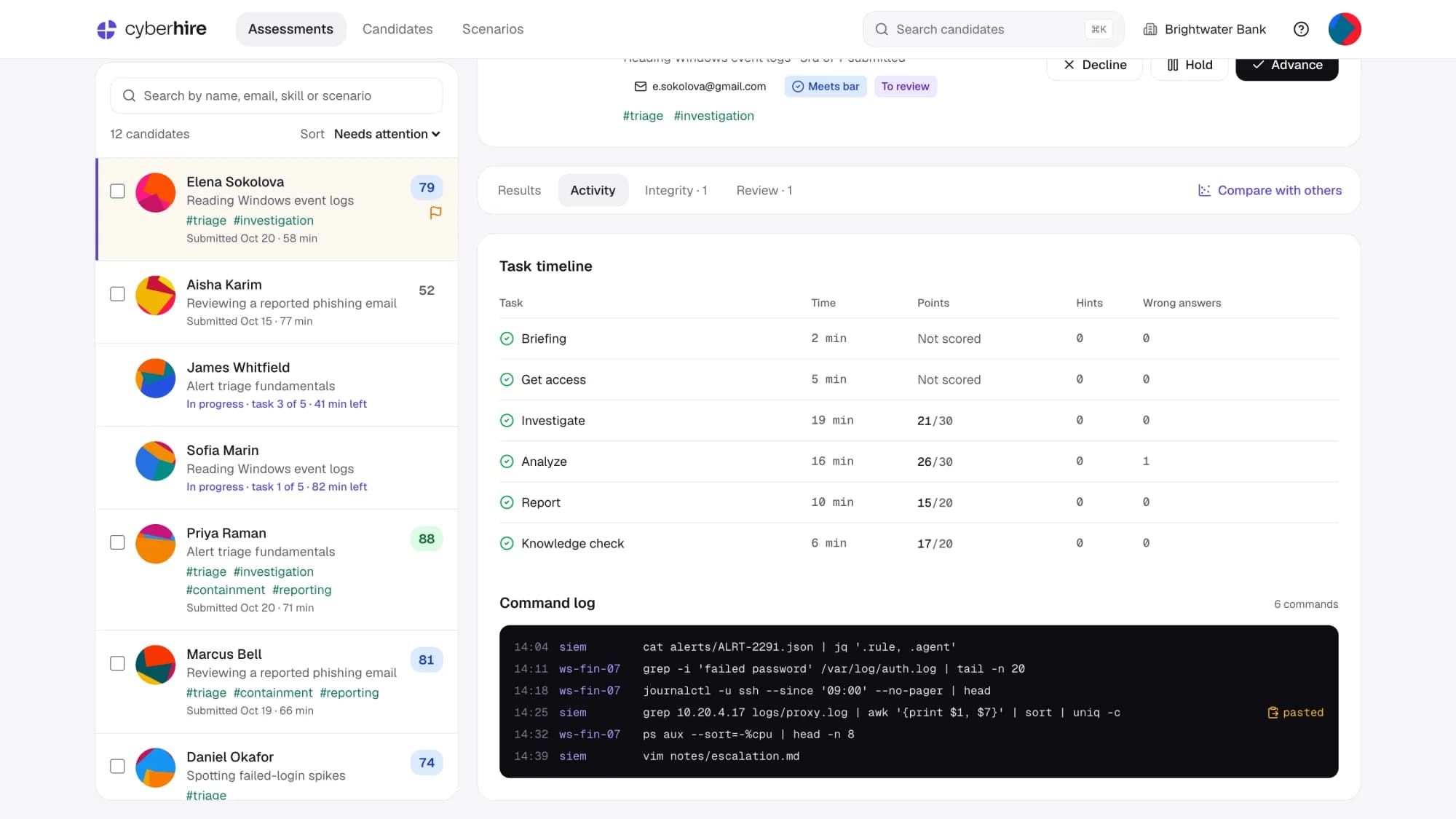
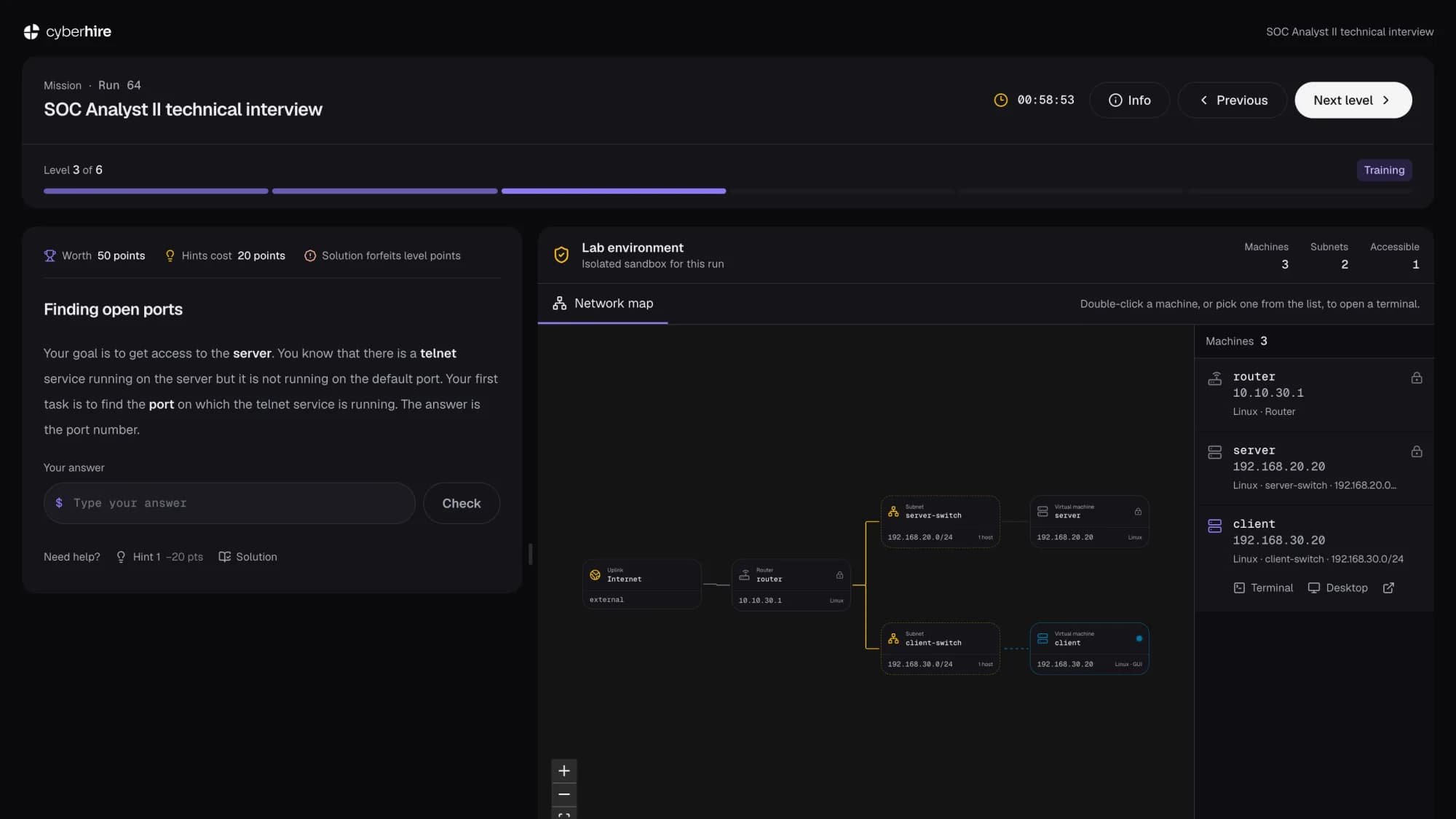
Pressing Start builds an isolated sandbox: virtual machines on routed subnets, with the scenario's tools installed. The candidate reads the task, opens a terminal from the network map and types each answer into the panel beside it.
Each candidate gets fresh virtual machines that nobody else works on.
Routers, subnets and services laid out the way the scenario needs them.
Open a console on any reachable host from the network map, or a desktop where the host has one.
The workstation has what the scenario calls for before the timer starts.
The timer starts when the candidate presses Start and counts down on screen.
Hints cost points, and wrong answers are counted.
Each reviewer rates the round's skills from Weak to Strong, adds notes for the panel and picks a recommendation from Strong no to Strong yes. Other reviewers' scorecards appear after you submit yours.
Request access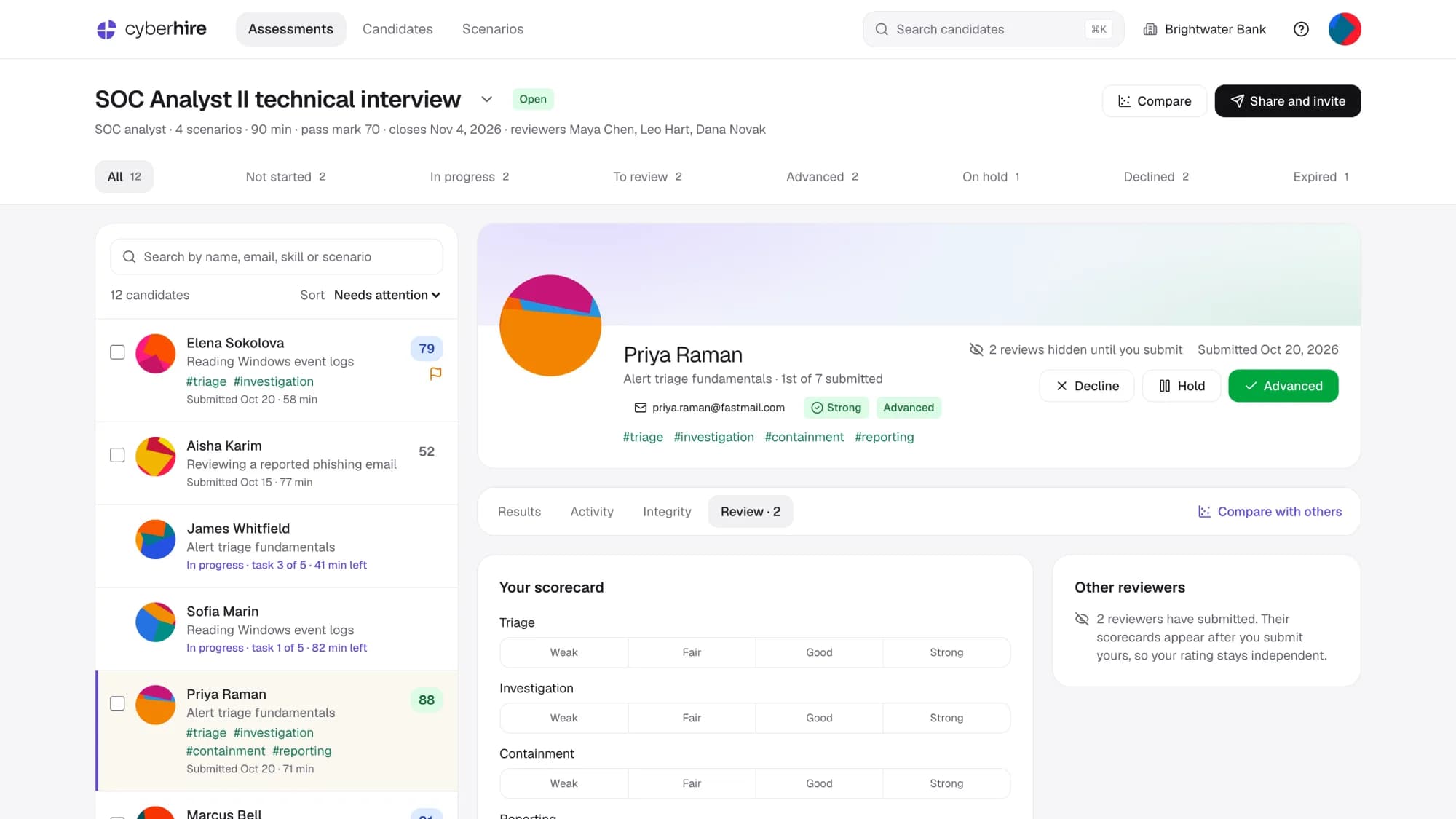
The invite states the rule. Start stays locked until the candidate ticks a box agreeing that their activity is recorded and shared with your company.
Candidates may use AI assistants. What they paste and run is recorded and on the report.
Pasted command blocks are flagged on the report for a reviewer to check against the commands around them.
Record the terminal only, or the terminal and the screen.
Every scenario in a round is scored on the same skills. Pick up to three candidates and they show in color on the score, time and skills charts, with everyone else who submitted in gray.
Request access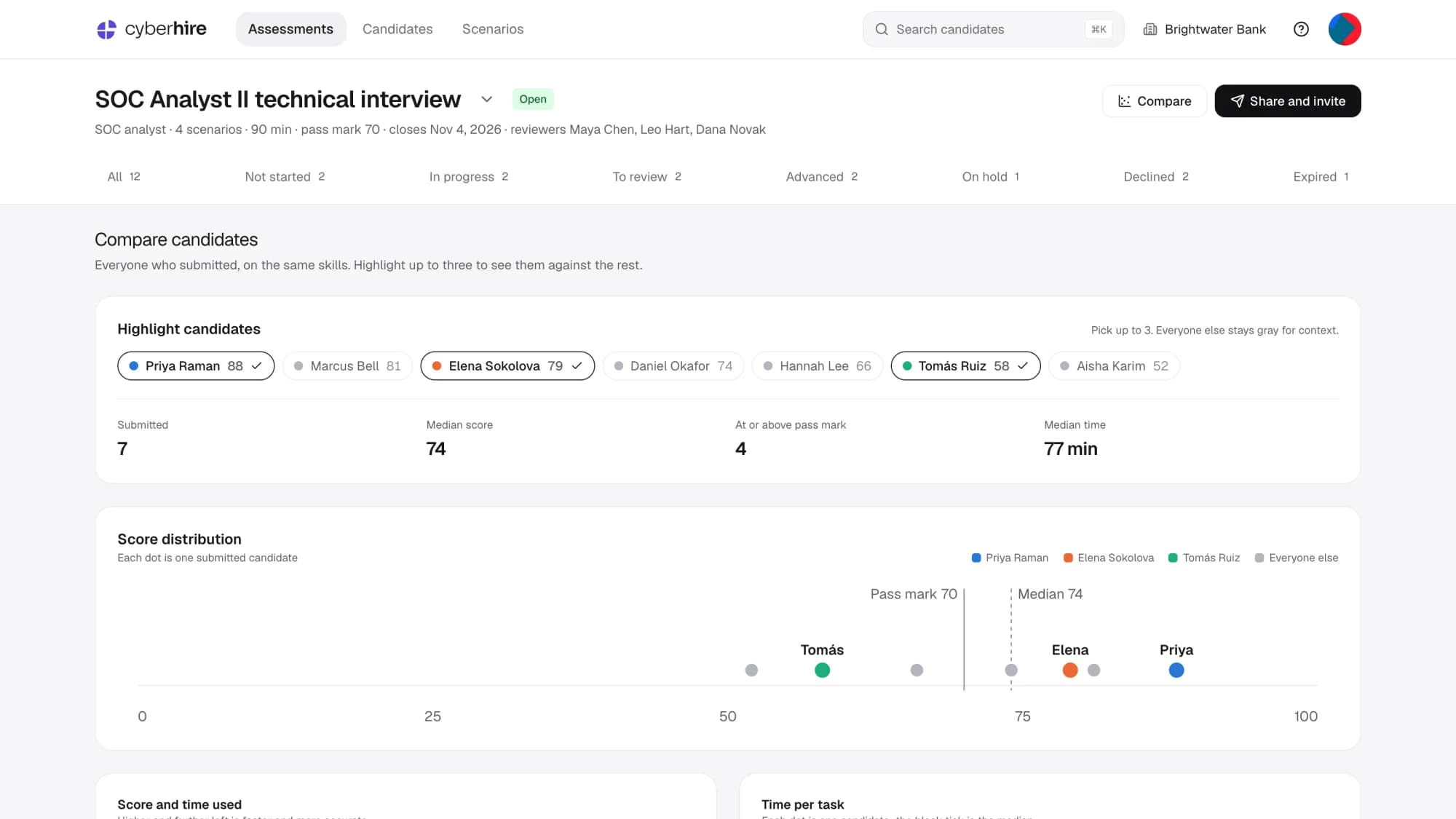
Pick scenarios from the catalog, or ask us to build one around your tools and log sources.
Triage alerts, read logs and decide what to escalate.

Scope an incident, contain it and keep the evidence.

Review configurations, tune detection and fix what is exposed.

Each round shows who is invited, who is working and who is waiting for review. Add reviewers when you create the round.
Submitted runs wait in To review until someone advances, holds or declines them.
Each candidate gets a random scenario from the round, or one you pick.
Find a candidate by name, email, skill or scenario from any page.
Filter every candidate across rounds by result, then export the list.

Tell us which roles you hire for and roughly how many people a year.
A web browser and the link you send. The lab, the network map, the terminal and the desktop sessions all open in the browser, so there is nothing to install.
An invite that explains the round, the time limit and the AI rule. Before starting, they agree that their activity in the assessment is recorded and shared with your company.
You decide for each round. Allowed and recorded lets them use one, and their commands are still on the report. Not allowed flags pasted command blocks for a reviewer to check.
Each task is worth points. Hints cost points, wrong answers are counted, and the run is scored out of 100 against the pass mark you set for the round.
Your choice. Candidates can get a random scenario from the round when they start, or you pick one when you invite each person. Every scenario in a round is scored on the same skills, so results stay comparable.
No. CyberHire covers the hands-on round. Keep your applicant tracking system for sourcing, scheduling and offers, and export results from CyberHire as CSV.
By request for now. Fill in the form on this page and we reply by email with next steps.
DeployOpen. CyberHire runs on the same cyber range as CyberGoatz, DeployOpen's hands-on security training platform, which is built on the open-source CyberRangeCZ.

Tell us what you're working on, whether it's a deployment, an audit, a security test or a cyber range. You'll speak with an engineer who can help you scope it.