
SOC analyst
Monitor, investigate and escalate security events.
CyberGoatz by DeployOpen
CyberGoatz is a hands-on cybersecurity skilling platform. Each mission runs in its own sandboxed network, with guided levels, a terminal in your browser and a record of the work you complete.
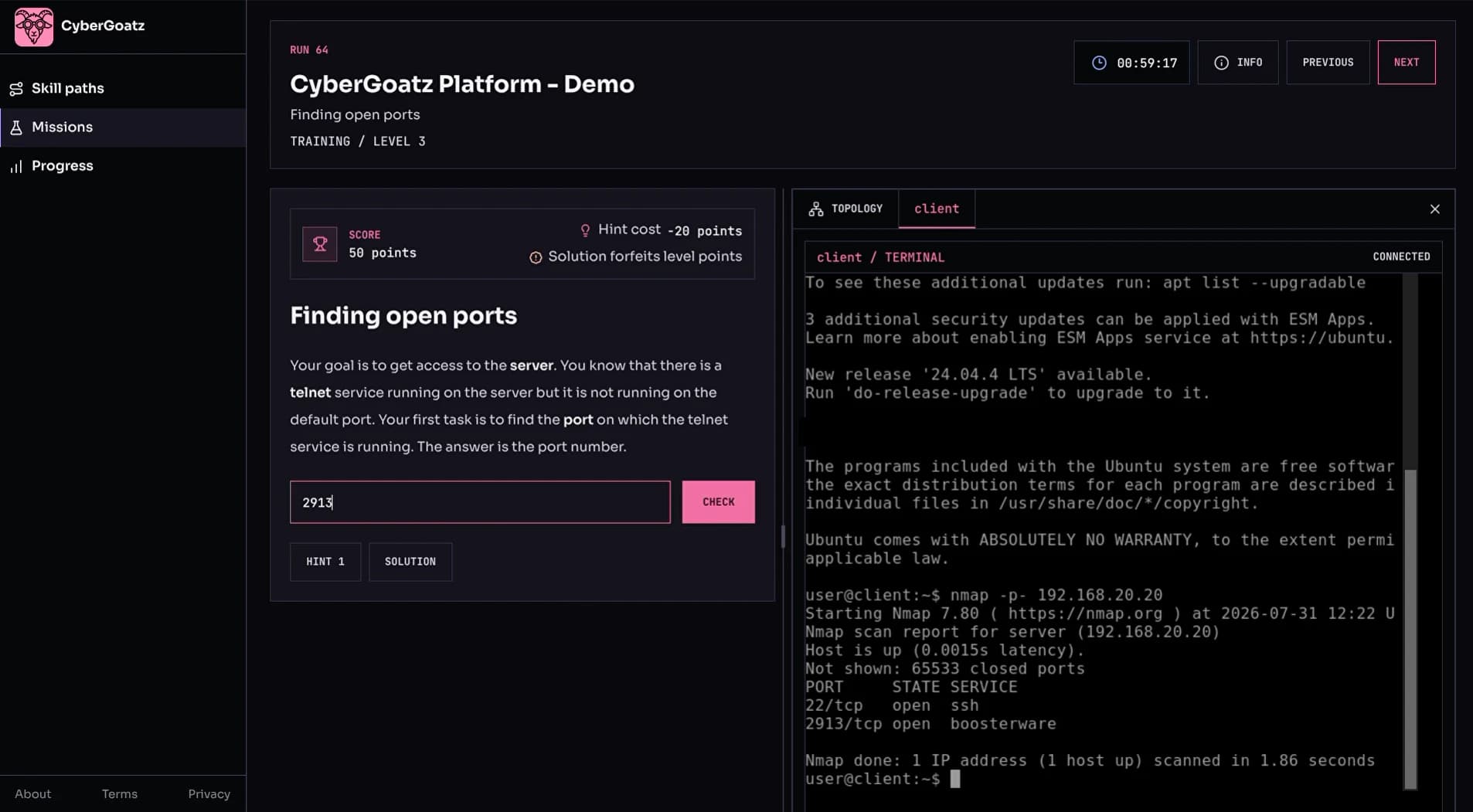
A training level from the CyberGoatz demo mission: the task and scoring on the left, a terminal on the mission's client machine on the right.
Pick a skill path or resume where you left off.
Task, topology and terminal side by side.
Levels, missions and badges saved as you go.
Skill paths group missions by learning goal. Each path shows how many missions it holds, an estimated time and your progress.
See the skill areas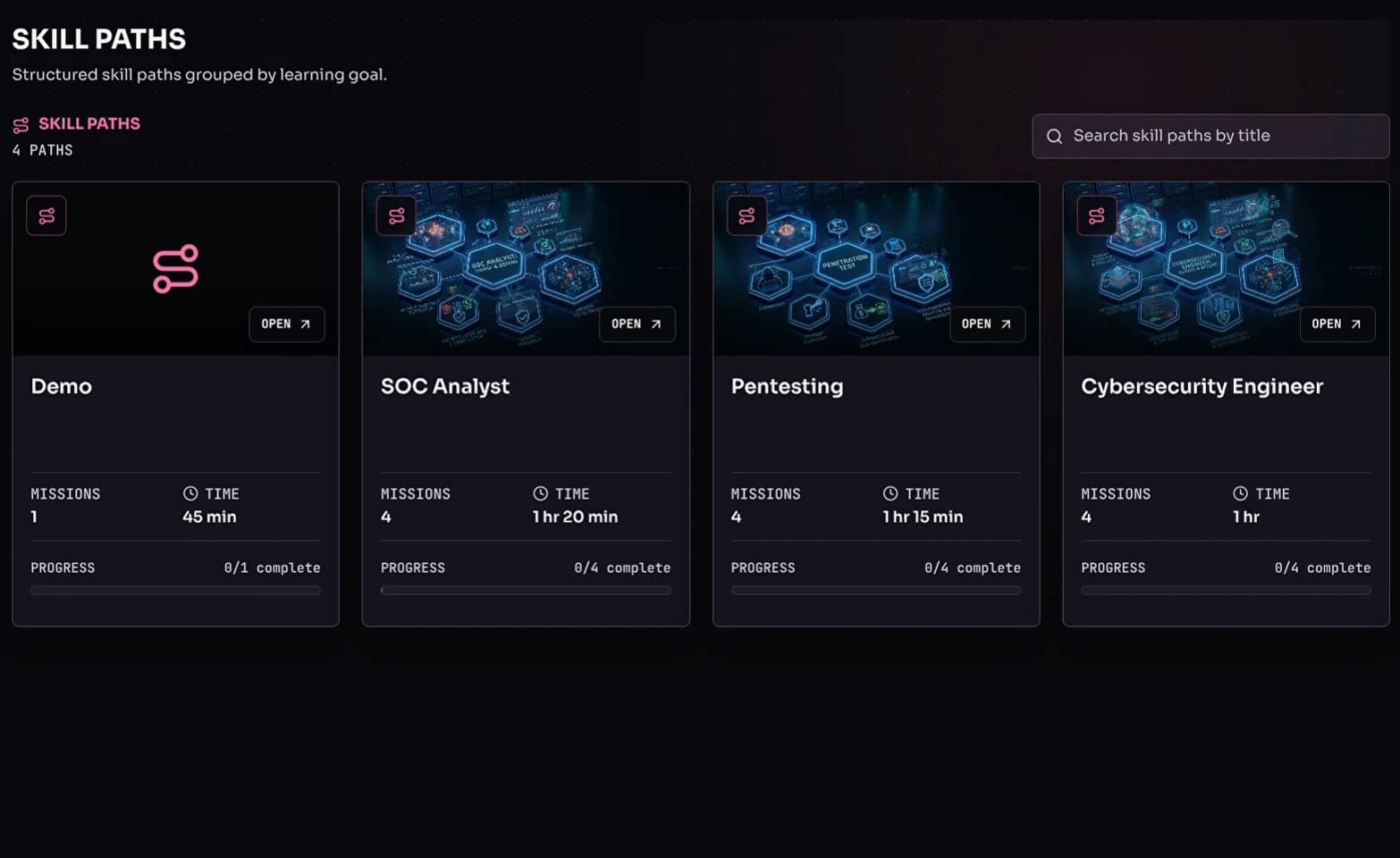
Each run gets a sandbox with its own hosts and subnets. The topology view shows how they connect and which machines you can reach, and you open a console on a host from there.
How levels work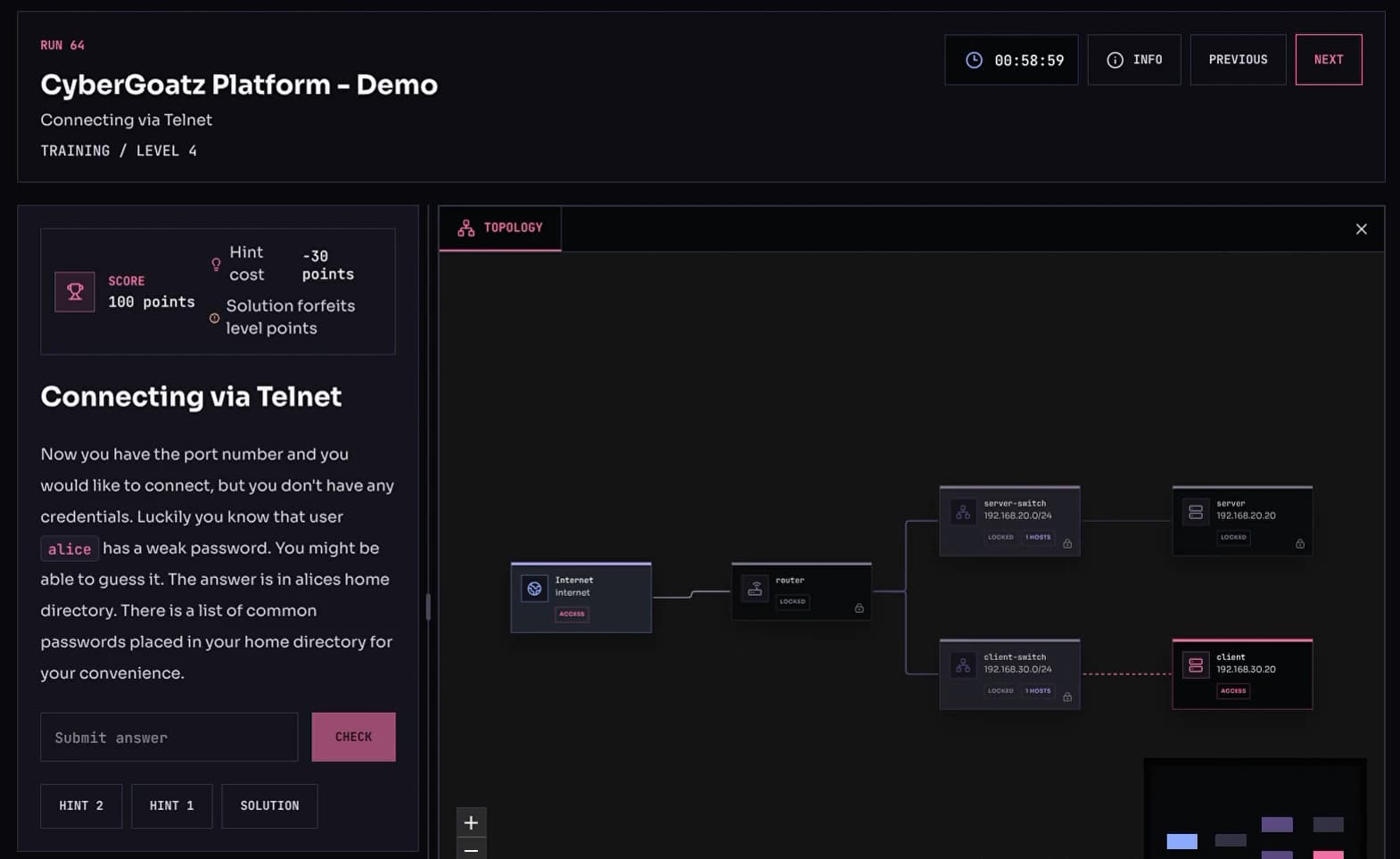
Resume a mission in progress, re-attempt one whose sandbox has expired and see the missions you have finished, all from one list.
Request access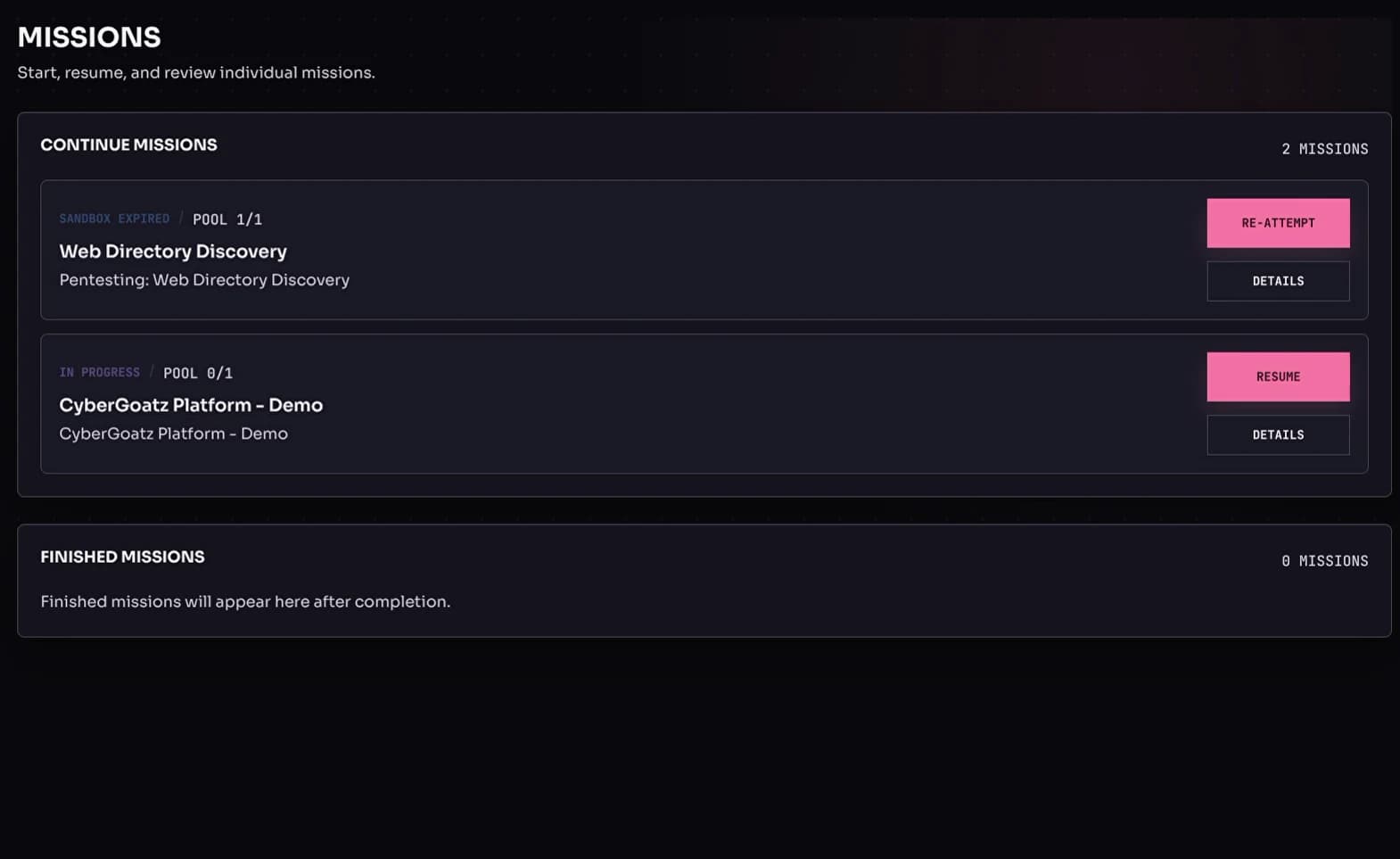

A briefing, hands-on tasks in the sandbox, then a check of what you learned.
One skill path for each area of security work.
Monitor, investigate and escalate security events.

Find and exploit weaknesses in systems you are authorized to test.

Harden systems, review configurations and tune detection.
Start with individual skills, then train together in an environment modeled on your own.

Individual practice
Missions and skill paths at your own pace, each in your own sandbox.
Request access
Team training
Instructor-led sessions for SOC, incident response and security teams.
Explore training
Your environment
A range modeled on your infrastructure, in your cloud, on-premises or hosted by us.
Explore private ranges
Built on CyberRangeCZ, the open-source cyber range platform, with tools to run missions for a group.
Run a mission for a group with a sandbox pool sized to fit.
Learners join with a token you share.
Event and command logs for every run.
Fixed level sequences, or paths that adapt to results.

Tell us how your organization would use CyberGoatz. Access is by request for now, and we'll reply by email.
Training a larger group? Book a call
Individual learners who want hands-on security practice, and organizations that train security staff such as SOC analysts, penetration testers and security engineers.
Access is by request for now. Fill in the form on this page and we'll get back to you by email.
No. Info levels explain each scenario before you start, and hints are available when you get stuck.
A web browser. The sandbox topology and the terminal both open in the browser, so there is nothing to install.
Automatically. Finished levels and missions, points and skill path badges are recorded as you go.
Yes. Instructors can run a mission for a group, share an access token and review each run's logs afterward. Use the form on this page to request team access.
CyberGoatz is built on CyberRangeCZ, an open-source cyber range platform that provides the sandboxes and the mission engine. CyberGoatz adds the learner experience: skill paths, missions, progress and badges.
DeployOpen. CyberGoatz complements DeployOpen's facilitated training and private cyber ranges for security teams.
Guides from the DeployOpen blog on planning and measuring cyber range training.
Build connected scenarios for security analysts, engineers, incident leaders and system owners around the decisions each role must make.
Compare infrastructure control, data isolation, customization, reset and maintenance when choosing where your team trains.
Use objective-specific observations, learner feedback and follow-up tests to evaluate training.

Tell us what you're working on, whether it's a deployment, an audit, a security test or a cyber range. You'll speak with an engineer who can help you scope it.