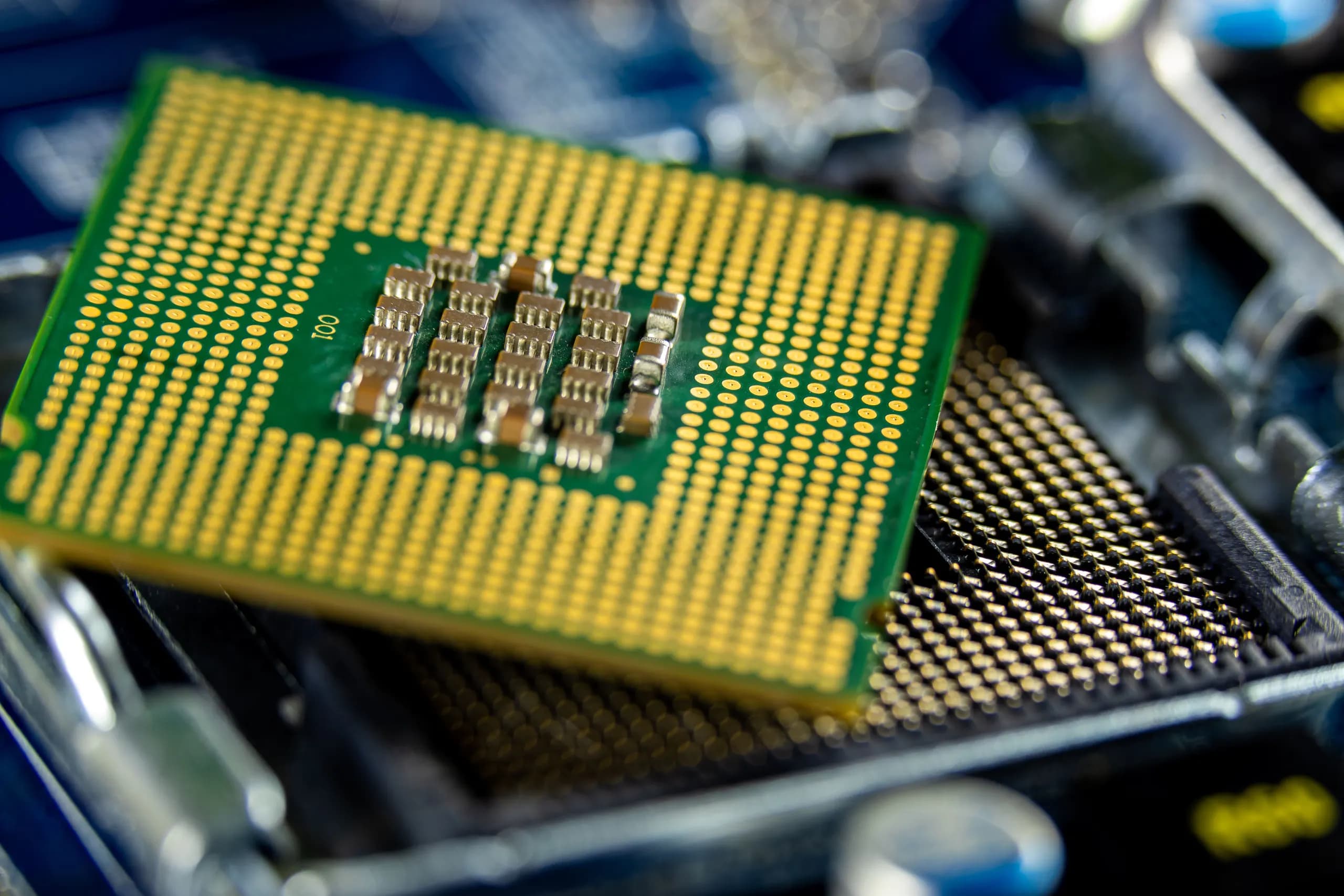
Ceph for research computing and HPC: where it fits and what changes
Research computing leads usually face the same combination: hundreds or thousands of users, very large numbers of small files, a shared scratch area that fills faster than anyone expects, and datasets that must be kept for years and shared with collaborators. Ceph can serve this from one cluster under your institution's control, using CephFS for POSIX shared file systems such as home and scratch directories and the Ceph Object Gateway (RGW) for S3-compatible dataset storage. The decision in front of you is less about whether Ceph can do both and more about whether your team will operate a distributed storage platform for the next several years and how that platform is sized before any hardware is ordered.
What changes is the operating model. CephFS depends on metadata servers, so the number of small files and concurrent clients drives metadata load more than raw capacity does. The Ceph hardware recommendations advise enterprise-class SSDs for metadata and say to benchmark before buying because no two clusters are alike. CRUSH failure domains also need to be designed up front: the rules that decide whether a copy lands on a different host, rack or room determine what a failed switch or power feed costs you, and changing them later moves data. Ask your vendor or integrator to show how the planned pool layout, failure domains and memory sizing hold up under your peak job load, not an average day.
Published university deployments of Ceph exist, and they are the most useful starting point for reference calls, but the figures they report depend on their hardware, workloads and staffing, so treat them as context rather than a template. Confirm the following before you commit: which users need POSIX semantics and which can use S3, how much of the data must survive a whole-site loss, which sensitive records may be stored at all, and who on your staff will own upgrades and drive replacements. Those answers shape the scope, the effort and the ongoing support model far more than the choice of storage product.
Which research data rules shape the Ceph build
This table maps the federal student data and financial aid rules that most often reach a research storage build to the Ceph design choices they affect. Read each row as a question to answer before CephFS and RGW access is designed, not as a legal opinion on your institution's obligations.
| Requirement | What it asks for | Build impact on CephFS and RGW |
|---|---|---|
| FERPA scope (34 CFR 99.1) | Applies to institutions that receive funds under programs run by the US Secretary of Education | Confirm with counsel whether your storage holds education records before you scope the cluster, since this determines which controls apply |
| Access logging (34 CFR 99.32) | Record each request for and disclosure of personally identifiable information, with parties and legitimate interests, for as long as records are kept | Enable audit logging on CephFS mounts and RGW buckets, forward logs off-cluster, and set retention to match the records they describe |
| Reasonable access controls (34 CFR 99.31(a)(1)(ii)) | Use technological or physical controls so school officials see only records tied to their legitimate educational interest | Map CephFS directory paths and RGW bucket policies to research groups, and use per-user cephx keys rather than shared credentials |
| Contractor handling (34 CFR 99.31(a)(1)(i)(B)) | A contractor may act as a school official only under direct institutional control and with redisclosure limits | Give vendor engineers time-limited, scoped accounts, keep administrative keys with the institution, and record each vendor access session |
| Records retention for access logs | Keep disclosure records as long as the underlying education records are kept | Size log storage for the retention period, place logs on separate media, and test that old logs can still be restored |
| Inspection requests (34 CFR 99.10(b)) | Respond to a parent or eligible student inspection request within a reasonable period and no more than 45 days | Make it possible to locate every object or directory tied to one student, including snapshots and backups, within that window |
| GLBA Safeguards MFA (16 CFR 314.4(c)(5)) | Require multi-factor authentication for anyone accessing an information system holding financial aid data | Put administrative dashboards, RGW console access and any financial aid bucket behind MFA through your identity provider, not only local passwords |
| Written evidence | Documented security program, access reviews and logs that an auditor or the Department can examine | Keep written access matrices, key inventories, configuration exports and log samples as versioned records from the first deployment |
Ceph settings research storage depends on
Research storage on Ceph usually combines a shared file system, a dataset object store and a few security settings that protect both. The cards below cover the settings that most affect how those services behave under load, and the hardware choices that support them.
CephFS home and scratch pools
Keep home directories and scratch space in separate CephFS data pools so their replication, capacity and cleanup policies can differ. Place CephFS metadata on enterprise-class SSDs, since metadata operations dominate when many users open files at once. Confirm with your team how scratch is purged and whether that purge is planned against capacity alerts.
MDS scaling for small files
Workloads with millions of small files place most of their load on the metadata servers rather than on data OSDs. Plan the number of active MDS daemons and standby daemons against your expected file counts, and benchmark a representative job mix before you commit to a layout. Ask your implementation partner to show how metadata load is measured during testing.
RGW dataset buckets and accounts
Dataset buckets in the Ceph Object Gateway can be grouped by research project, with IAM-style policies controlling who reads and writes each one. Decide early whether multisite replication is needed for collaborating institutions, because it changes the gateway layout. Confirm which S3 API features your analysis tools call before you choose a policy model.
Gateway authentication with Keystone or LDAP
The Object Gateway can authenticate users through Keystone or LDAP, which lets research accounts follow the identity source the institution already runs. Map directory groups to buckets and roles before users are onboarded, not after. Confirm how account deprovisioning reaches gateway credentials, since stale keys are a common source of exposure.
Dashboard single sign-on
The Ceph Dashboard supports single sign-on through SAML 2.0, and through OAuth2 when cephadm runs the Management Gateway and OAuth2 Proxy services. Choose the protocol that matches your campus identity provider, and restrict dashboard roles to the administrators who run the cluster. Test sign-out and role mapping with a non-administrator account before go-live.
Messenger v2 secure mode on port 3300
Messenger v2 listens on port 3300 and its secure mode encrypts all traffic after authentication with AES-GCM and adds integrity checks. Enable secure mode where research data crosses shared networks or campus segments, and confirm that every client in your pipelines supports it. Check firewall rules for port 3300 on every monitor and OSD host.
How CephFS metadata scaling handles many small files
Many small files load the metadata path before they load the data path. In CephFS, every create, open, stat, rename and directory listing is served by the metadata servers (MDS), which keep the file system namespace and capabilities in memory and persist metadata to a dedicated metadata pool. A research share holding millions of small files, such as sequencing fragments, image tiles or per-run log files, generates far more metadata operations per gigabyte than a share holding a few large files. Throughput on the object data drives is often not the limit. Latency on metadata operations is, and users notice it as slow directory listings, slow job startup and stalled checkpoints long before any disk is busy.
Two sizing decisions shape that latency. The first is where the metadata pool lives. The Ceph hardware recommendations call for enterprise-class SSDs for metadata, and for a research share the metadata pool should sit on that media, separated from HDD-backed data pools, so that metadata writes do not queue behind bulk I/O. The second is MDS memory. Each active MDS caches the metadata it serves, and an undersized cache forces repeated reads from the metadata pool. The hardware guidance says to size memory for peak use rather than calm periods, which matters on HPC systems where a burst of array jobs can touch the same directories at once. Plan for active and standby MDS daemons, and confirm the MDS cache settings and the number of active ranks against the release you deploy, using the Ceph Active releases page as the starting reference.
No published figure can tell you how your metadata path will perform. The hardware recommendations say no two clusters are alike, so build a test from your own workload: a representative file count and size distribution, your real directory depth, the number of concurrent clients from your job scheduler, and the mix of creates, stats and deletes your pipelines produce. Run that benchmark on candidate hardware before you buy, and record metadata latency at peak concurrency as well as average throughput. Ask your vendor or partner to show results for that workload, not a generic benchmark, and agree in writing what the acceptance test measures.
Rollout phases for a university storage cluster
This sequence moves a campus Ceph cluster from requirements to a handed-over service, with each phase closing on a checkable output so research computing and security sign off before the next phase begins. It produces a cluster that serves CephFS and RGW workloads under campus identity, with logging, tested backups and runbooks that the operating team can use.
Survey workloads and access with both offices
Research computing and the security office meet to list the workloads that will use the cluster: shared scratch, home directories, dataset buckets and any restricted research data. For each workload, record who needs access, how users authenticate, expected file counts, and which datasets fall under student or sponsor data rules. The step closes with a signed requirements document listing capacity, performance targets, access groups and retention needs, which becomes the baseline for every later decision.
Benchmark candidate hardware before purchase
Your team, with DeployOpen if you engage us, builds a test cluster on the candidate hardware and runs benchmarks that match the surveyed workloads, including small-file metadata operations for CephFS and large sequential reads and writes for RGW. Ceph's hardware guidance says to size memory for peak use, to benchmark before buying because no two clusters are alike, to use a dedicated drive per OSD, and to place WAL and DB on shared SSDs for HDD-based OSDs. The step closes with a benchmark report that justifies the drive, memory, metadata media and network choices.
Bootstrap a single-node cluster with cephadm
Install a release that cephadm supports, which means Octopus (v15.2.0) or later, and target Squid or Tentacle, the actively maintained releases, for new deployments. Bootstrap one node, which creates the first Monitor and Manager, and confirm the cluster reports healthy before any other host is added. Record the version, container image and bootstrap configuration in version control so the build can be repeated. The step closes when the single-node cluster passes a health check and a test pool can be created and removed.
Add hosts and place services
Add the remaining hosts through cephadm, spreading Monitors and Managers across failure domains and placing OSDs on the drives chosen in the benchmark. Bond network links across two switches as Ceph's hardware guidance recommends, and separate client and cluster traffic if the design calls for it. Confirm that every OSD is up and in, that monitor quorum is stable, and that data rebalances cleanly after a controlled host reboot. The step closes with a documented host inventory and a cluster that remains healthy through that reboot test.
Design CephFS and RGW pools and users
Define CephFS file systems for home and scratch with separate metadata pools on enterprise-class SSDs, and set quotas and client authentication per group. Create RGW buckets and users per project or lab, with replication or erasure coding chosen per pool after reviewing the capacity and recovery trade-offs. Test that a researcher can mount scratch, write and read a dataset, and that an S3 client can reach its own bucket and no other. The step closes with a pool and user map that the security office has reviewed.
Connect campus identity and enable access logging
Integrate the RGW and dashboard access with campus identity where the supported methods fit your directory, such as LDAP or Keystone for the gateway and SAML 2.0 or OAuth2 for the dashboard, and confirm the exact options for your Ceph release before configuring them. Turn on access logging for the gateway and the administrative interface, and test that a sample user's access is recorded with the identity and the object or path touched. Where records may contain student information, check the access log requirements with the registrar and the privacy office. The step closes with a test matrix showing each group can reach only its own space, and each access appears in the logs.
Validate backups and restores
Define what is backed up, where copies go, and how often, then run a full restore of a CephFS directory and an RGW bucket into a separate location. Compare restored data against source checksums and time the restore against the recovery expectations set in the survey. Confirm that backup jobs and their failures are monitored and reported to the operating team. The step closes when a restore has been completed and verified, with the procedure and results documented.
Hand over with runbooks and training
Deliver runbooks for common tasks such as health warnings, full OSDs, drive replacement, adding capacity, user onboarding and restore, and walk the operating team through each one on the live cluster. Confirm the upgrade path, planning each move between releases in cephadm and checking the release notes for the target version before scheduling it. Agree on the support model, escalation contacts and the review cadence with the security office. The step closes when the operating team has run at least one runbook unassisted and the handover record is signed by research computing and security.
Bare metal cephadm or Rook on campus Kubernetes
This model runs Ceph daemons as containers on dedicated storage hosts that sit outside any Kubernetes cluster. It suits shared HPC storage such as CephFS home directories and scratch space, where clients mount the file system over the campus network and the storage team wants direct control over hardware, placement and upgrades. The cluster is managed through cephadm, which bootstraps the first Monitor and Manager and then adds hosts and services.
- Direct host control: Your team manages the storage hosts, drives, network bonds and the cephadm orchestrator without a container platform in between.
- Clear failure boundary: Storage faults stay on the storage hosts, which makes capacity and maintenance windows easier to plan for research users.
- Skills needed: Linux administration, networking and Ceph operations. Kubernetes knowledge is not required for this path.
- Upgrade planning: cephadm handles daemon upgrades, but you schedule them around active compute jobs and confirm the release line first.
- Dependencies: Clients need Ceph client packages or a kernel driver that matches the cluster release.
Before committing, confirm which team will carry the on-call load for the storage hosts and whether that team has time for routine Ceph maintenance.
This model runs Ceph inside a Kubernetes cluster through the Rook operator, which the cephadm documentation names as the Kubernetes alternative. It fits campuses that already run Kubernetes for research workloads and want block, file and object storage delivered as persistent volumes and buckets to those workloads. The CNCF lists Rook as a Graduated project since October 7, 2020, which is a useful signal for maturity, though it does not replace your own testing.
- Workload-facing storage: Pods request block, shared file or object storage through standard Kubernetes resources instead of manual mounts.
- Shared platform skills: Operators, storage classes, network policies and cluster upgrades become part of the same platform team's work.
- Coupled lifecycles: A Kubernetes upgrade or node drain now touches storage daemons, so change windows must be planned across both layers.
- HPC integration gap: Batch schedulers that expect a plain POSIX mount may need a different access path, which should be tested before design is final.
- Operator dependency: Rook upgrades and Ceph upgrades must be sequenced together.
Confirm with your platform team whether they already operate Kubernetes at the scale the storage will need, and whether the scheduler can consume the storage the way your users expect.
The decision is rarely about Ceph features, since both models run the same storage software. It turns on who operates what and how closely storage must follow the compute platform. Research storage often serves users beyond a single Kubernetes cluster, including batch schedulers, login nodes and departmental servers, which favors dedicated hosts. Storage that mainly serves containerized research applications may favor Rook.
- Users and access paths: Count the clients that need the same file system, and whether they are containers, VMs or bare metal.
- Team skills: Map who will patch, monitor and recover the cluster during an incident.
- Change control: Decide whether storage upgrades can share a window with cluster upgrades.
- Hardware reuse: Dedicated hosts can be specified for storage alone, while Rook often runs on worker nodes that also run jobs.
- Exit path: Consider how data and configuration would move if the team later changes model.
Ask your implementation partner to write both options against your user list and skills inventory before you choose.
Which research privacy obligations change the storage design
Does FERPA apply to our university's research storage?
FERPA applies if your institution receives funds made available under a program administered by the US Secretary of Education. The regulations in 34 CFR Part 99 cover any educational agency or institution that meets that test (34 CFR 99.1), so the question is usually answered by your general counsel or registrar, not by the storage team. Once it applies, every system that holds student education records falls inside the design, including research scratch space, home directories and dataset buckets that contain student records. Confirm the scope with your privacy office before you choose a layout, because the answer decides which volumes, pools and buckets need the controls described below. Ask the privacy office to list the record types in scope, such as enrollment, grades or survey responses that identify students.
Can a storage vendor or contractor hold education records?
A contractor can hold education records only as a school official, under conditions set out in 34 CFR 99.31(a)(1)(i)(B). The party must perform a service the institution would otherwise use its own employees for, the institution must keep direct control over how the records are used and maintained, and the party must follow the redisclosure limits in 99.33(a). For a self-hosted Ceph cluster, this usually means the institution owns the hardware, keys and administrator accounts, and any DeployOpen engagement is written so that the institution directs the work. Put these conditions into the contract and the runbook, and record who holds administrative access. Confirm with counsel whether a support contract, remote access or a managed service changes the analysis.
What access controls show that staff see only what they need?
FERPA expects reasonable methods, such as physical or technological access controls, so that school officials see only the education records in which they have a legitimate educational interest (34 CFR 99.31(a)(1)(ii)). In Ceph, this is built from separate pools for sensitive data, CephX users with capabilities limited to specific pools or RGW buckets, and CephFS client permissions scoped to particular paths. Separate RGW users and accounts for each research group, with bucket policies, make the boundary visible in the configuration. Record the mapping from roles to pools and paths, then test it with a non-privileged user. Evidence is the role map, the configuration exports and the test results, kept under change control.
How are access and disclosure logs kept for student records?
FERPA requires the institution to record each request for access to, and each disclosure of, personally identifiable information from education records, along with the parties involved and their legitimate interests, and to keep that record for as long as the records are kept (34 CFR 99.32). Ceph does not produce that register by itself, so the design must add it. Use RGW access logging or audit output for object access, enable CephFS audit logs where your release supports them, and forward cluster and gateway logs to a central store with retention that matches the records. Map each log entry to a named person or service account and a documented legitimate interest. Confirm log formats and retention options for your Ceph release before you commit to a retention period.
How does the 45-day inspection window affect where records are indexed?
An institution must let a parent or eligible student inspect education records within a reasonable period, and no more than 45 days after the request (34 CFR 99.10(b)). The practical effect is that the institution must be able to find every record about one student quickly, across scratch, home directories and dataset buckets. Storage that holds records without an index forces manual searches. Design a catalog or metadata index that maps student identifiers to object keys and file paths, keep it inside the same protected boundary as the data, and test a sample retrieval within the timeline. The index itself contains personal information, so apply the same access controls to it.
When does COPPA apply to minors' data in research datasets?
COPPA applies to operators that collect personal information from children under 13, including research studies that collect it online. The COPPA Rule in 16 CFR Part 312, amended at 90 FR 16977 on 22 April 2025, requires a written information security program with a designated coordinator and at least annual risk assessments (16 CFR 312.2 and 312.8). Section 312.10 limits retention to what is reasonably necessary for the purpose collected and requires a written retention policy with a deletion timeframe. For storage, this means lifecycle rules on buckets and directories that expire or delete children's data on a schedule, and proof that deletion ran. Whether your studies are covered is a legal question to confirm with counsel and the institutional review board.
What do GLBA Safeguards requirements mean for financial aid data?
Institutions in the Title IV federal student aid programs agree in their Program Participation Agreement to comply with the GLBA Safeguards Rule in 16 CFR Part 314, and the Department of Education examines compliance in annual audits (FSA Electronic Announcement GENERAL-23-09). The rule requires a written information security program, multi-factor authentication for anyone accessing any information system, and FTC notification within 30 days of discovering an event affecting at least 500 consumers (16 CFR 314.4(c)(5) and (j)). For Ceph, aid data should sit in restricted pools with encryption at rest, MFA-protected administrative access, and an incident process that meets the notification clock. Confirm the exact obligations with your compliance office.
Who prepares the evidence, and who issues the compliance assessment?
DeployOpen prepares the systems, controls and evidence that an institution needs for a compliance assessment, such as role maps, configuration exports, logging setups and test records. DeployOpen does not issue audit reports, attestations or certifications. Independent auditors, the Department of Education's audit process and regulators make those determinations. Scope, deliverables and timelines are agreed in writing before work starts, so ask for the evidence list in the statement of work and confirm with your auditor which artifacts they expect. Any engagement is shaped by your legal and privacy decisions, which remain with your institution.
What published university Ceph deployments show
Published university Ceph deployments are most useful as a checklist of what to verify, not as proof that a design will fit your site. Before you rely on any case study, ask the institution or the publishing party for the cluster's scale in usable capacity, node count, drive types and network design, and whether the workload was CephFS for shared home or scratch directories, RGW for datasets, or both. A case study that does not state these details cannot tell you whether the result applies to a cluster serving thousands of small-file jobs. Where a case study gives no figures, request the original document, confirm the date it describes, and note which Ceph release it ran, since the active releases today are Tentacle and Squid.
Read each deployment for the design decisions it reports, not only its headline. Look for whether the metadata pool sits on enterprise-class SSDs, how the team placed WAL and DB devices for HDD-based OSDs, whether memory was sized for peak recovery load, and whether the bonded links span two switches. The Ceph hardware recommendations treat these as baseline choices, so a published design that omits them should prompt questions. Also check how the site handled upgrades and what it reported about recovery time after a host failure, because those numbers shape how many research users will notice an outage.
Treat the published material as the start of a conversation with the institution's storage and research computing staff. Confirm with them the access model for shared datasets, how they separated departmental and grant-funded projects, and whether their user-facing controls depend on a directory service or a Keystone or LDAP integration for RGW. If the institution cannot share a benchmark run on hardware close to your planned build, plan your own test with representative small-file and large-file workloads before you commit to a cluster size.
Failure modes that hit research storage first
Research storage fails in predictable places: many small files, scratch writes that fill disks, recovery that starves memory, open access paths, deletions nobody approved, and management interfaces left unpatched. Each card below pairs one risk with the configuration or operating habit that reduces it, so the design review can assign owners before the cluster takes its first production job.
Metadata bottleneck from small files
CephFS serves directory and file metadata from metadata servers, so millions of small files in home directories or job output can overload them long before raw capacity runs out. Ask for a benchmark that mimics your real file count and create and stat rates, not only large sequential throughput. Place CephFS metadata pools on enterprise-class SSDs, which the Ceph hardware recommendations advise for metadata, and plan how many active metadata servers and standbys the workload needs. Also agree on packaging rules, such as archiving tiny output files into larger bundles, so users do not create the load in the first place.
Full OSDs during scratch writes
Large scratch jobs can write faster than the cluster can absorb, and an OSD that reaches its full ratio stops accepting writes, which stalls every job that shares the pool. Set quotas on scratch directories or pools, watch raw usage per OSD rather than only total free space, and agree with users on a purge schedule for scratch data. Confirm the full, nearfull and backfillfull thresholds for your release and the alert paths that reach the on-call team. Rebalancing after a failed drive can push a nearly full OSD over the limit, so headroom must cover a failure, not only steady state.
Under-sized RAM during recovery
Ceph's hardware recommendations say to size memory for peak use rather than calm periods. A cluster that runs comfortably on normal days can exhaust memory when a node fails, backfill starts and OSDs rebuild their state at the same time, which is when an HPC site also has the most queued jobs. Ask the implementer to size each OSD node for recovery load, set OSD memory targets deliberately, and test a single-host failure during a benchmark run. Record the results so capacity planning uses measured recovery behavior rather than vendor minimums.
Unauthenticated CephFS clients
Shared research file systems often grow by adding mounts from new login nodes and compute nodes, and each client's capabilities determine what it can read and write. Create one Ceph client identity per group or project with the narrowest path and permission set, and avoid sharing an administrative key across nodes. Review the client list on a schedule, remove identities for retired projects, and confirm that messenger v2 secure mode is enabled where the network and clients support it, so traffic between clients and daemons is encrypted and integrity checked after authentication.
Dataset deletion without retention policy
Research data often has funder or publisher retention terms, and a deletion by one user or one script can remove years of work from a shared pool. Use separate pools or RGW buckets for data that must be retained, enable snapshots or versioning where the deployment supports them, and document who can delete what. Ask for a restore test that shows a deleted directory can be recovered within the window your data management plan states. Retention length is a policy decision for the institution, so confirm it with the research office and the data steward before the storage design is fixed.
Unpatched dashboard and host access
The Ceph Dashboard and the hosts cephadm manages are management surfaces, and a university cluster with a shared administrator password or old host packages is an attractive target. Restrict dashboard access to named administrators, use single sign-on where your identity provider supports it, and confirm which Management Gateway and OAuth2 Proxy services your cephadm release requires for OAuth2. Keep a patch cadence tied to the upstream release stream, and note that the Squid release has an estimated end of life of October 31, 2026, so plan the move to a supported release before then.
What research computing teams ask before hiring a Ceph partner
What drives the cost of a Ceph deployment for research computing?
The cost follows the written scope, and the main drivers are node count, the depth of benchmarking, identity and compliance evidence, and any migration from an existing NAS or Lustre file system. Hardware is usually a separate purchase from services, so ask the quote to separate the two. Services cover design, cephadm deployment, CephFS and RGW configuration, identity integration, testing, documentation and handover. Benchmark scope matters because the Ceph hardware recommendations say to benchmark before buying, since no two clusters are alike. Migration adds data movement and cutover planning, and identity or evidence work adds effort when the institution must show FERPA or GLBA safeguards. Ask for one-time and recurring costs to be listed separately, including support or retainer terms if you want them.
How long does a Ceph rollout take and what sets the duration?
Duration depends on the written scope, so no general timeline applies across institutions. The main factors are the number of nodes, whether hardware has already arrived, how many CephFS file systems and RGW buckets are needed, how many access groups must be mapped, and whether data must be migrated from an existing system. Benchmarking, a review of network design (bonded links across two switches is the usual recommendation), and institutional change windows also affect the schedule. Acceptance testing of failure scenarios, such as losing a host or a switch, takes time that is often underestimated. Ask the partner for a phased plan with dated milestones and named dependencies on your side.
What must the institution provide before a Ceph project starts?
Your team needs to supply decisions and access before design can finish. Define the access model: which groups get CephFS home and scratch space, which projects get RGW buckets, and who approves quota changes. List the data classes, such as student records covered by FERPA, grant-controlled research data, or public datasets, because they determine encryption, retention and audit needs. Name the identity source, for example directory services or an existing single sign-on provider, and confirm how Dashboard login should work. Finally, assign staff: a sponsor, a storage administrator who will own day-to-day operation, a network contact, and someone from security or compliance who can approve controls. Missing decisions in these areas are a common reason for schedule slips.
Can a research computing team run a Ceph deployment on its own?
A capable team can deploy Ceph in-house, since the project is open source and cephadm manages clusters as containers, starting from a single node and adding hosts and services. The harder parts are capacity planning, placement group and failure domain decisions, metadata performance for many small files, identity integration, backup strategy and upgrades. Ask yourself whether the team has someone who can own storage operations over the life of the cluster, handle health warnings and drive replacements, and keep documentation current. Many institutions split the work: internal staff own operations while a partner designs, deploys and hands over. Either way, confirm the skills and time available before deciding.
How are upgrades between Squid and Tentacle planned?
Upgrades are planned as a documented sequence, starting from the current release, checking the target release's notes and the cephadm upgrade path, then testing on a non-production cluster. The Ceph releases page lists Squid (19.2.x) and Tentacle (20.2.x) as actively maintained releases, and it notes that they receive periodic backports and security fixes. Confirm the end-of-life dates listed on that page against your operating calendar before choosing a target. The plan should cover client compatibility for CephFS mounts and RGW consumers, a rollback decision point, a backup verified before the change, and a maintenance window. Ask the partner to show the test results and the runbook they will use for your cluster.
What should a written quote for Ceph services include?
A useful quote states the scope in specific terms and lists each deliverable with its acceptance criteria. Ask for the node count and hardware assumptions, the benchmark plan, the CephFS and RGW configurations included, the identity integration method, and whether migration is in scope with the data volume covered. Require a clear split between one-time work and recurring support, along with what a retainer covers, such as patching, upgrades and incident response. Ask how changes to scope are priced and approved, what the institution must provide, and which documents you will receive at handover, such as runbooks, architecture diagrams and the configuration record. Check that testing of failure scenarios is included and how results are reported.
Which compliance evidence should a research storage quote cover?
Start by identifying which regulations apply to the data. FERPA applies to educational institutions receiving funds from the US Department of Education, and it requires access controls that limit school officials to records they have a legitimate educational interest in. A contractor may receive education records only under specific conditions, including direct institutional control. Where federal student aid applies, the GLBA Safeguards Rule requires multi-factor authentication for anyone accessing information systems. Ask the partner to map these requirements to Ceph controls such as CephFS client authentication, RGW access policies, encryption, and audit logging. DeployOpen prepares systems, controls and evidence for compliance assessments, but independent auditors issue any audit report or certification, so confirm the evidence your auditors expect before scoping the work.
How DeployOpen scopes a research Ceph implementation
DeployOpen plans, implements, hardens, documents and supports self-hosted open-source platforms inside the institution's own infrastructure, so a research Ceph cluster runs in your data center or cloud accounts under your control, not in a DeployOpen environment. Scoping starts with the workloads: which CephFS home and scratch filesystems, which RGW dataset buckets, how many small files the metadata servers must handle, and which users and departments need access. Those answers decide the hardware, the network layout and the failure domains that the rest of the work depends on.
Most engagements are fixed-scope, meaning the scope, deliverables and timelines are agreed in writing before work starts. For a research Ceph project, the written scope typically names the cluster design, cephadm deployment, CephFS and RGW configuration, identity integration, backup and recovery testing, documentation and handover. Ask for the deliverables in writing, including the acceptance tests that show the cluster meets the agreed capacity and performance targets. Ongoing support, upgrades and continuous testing are available as retainers, which suit institutions that want the cluster patched and upgraded across Ceph releases after handover. Confirm which Ceph release line the scope targets and how a later upgrade would be covered. DeployOpen does not publish a price list. A quote follows from the written scope, so the quote reflects the workloads, sites, hardware and services you define. Ask each bidder to state which items are one-time (design, deployment, data migration, testing) and which recur (retainer support, upgrades, hardware refresh), and to name who buys the hardware and licenses. Ceph itself is open source, so the main cost components are labor, hardware and any third-party services you add.
